





Online training has become a key way of keeping teams up to date and competitive. But having courses and content is not enough: the quality of the learning experience also depends on the devices learners use. In this article you will discover which gadgets add real value in a corporate setting and how to fit them into training programmes in practical terms.
Why invest in technology for online training in your company?
Companies increasingly design learning programmes around their real needs, whether to improve languages or specific business skills. Good technical support not only improves concentration and interaction, it also makes teams more accessible and productive alongside professional training methods such as those described in our article on the benefits of investing in language training for your team.
In companies with active online training, well-chosen devices remove technical barriers, sharpen learners’ focus and can make the difference between an effective session and one lost to connection problems or distraction.
Devices that genuinely improve online training
Laptops and tablets with good webcams
A laptop or tablet with a decent camera and built-in microphone is essential for any online training. Beyond the bare minimum, choosing models with autofocus and good resolution improves real-time interaction between trainers and learners, reducing misunderstandings and eye strain.
In sectors where the team is on the move (sales, logistics or consultancy), a light tablet improves access to content and allows study in different places without losing productivity.
Noise-cancelling headphones
Video calls and streamed classes need clear audio. Headphones with active noise cancellation minimise distractions, especially in shared or open environments such as offices and co-working spaces. Better sound quality not only makes content easier to follow — in language or technical training, for instance — it also reduces listening fatigue in long sessions.
These headphones also allow a more immersive experience, which produces visible results in advanced courses or those with intensive speaking practice.
Ergonomic input devices
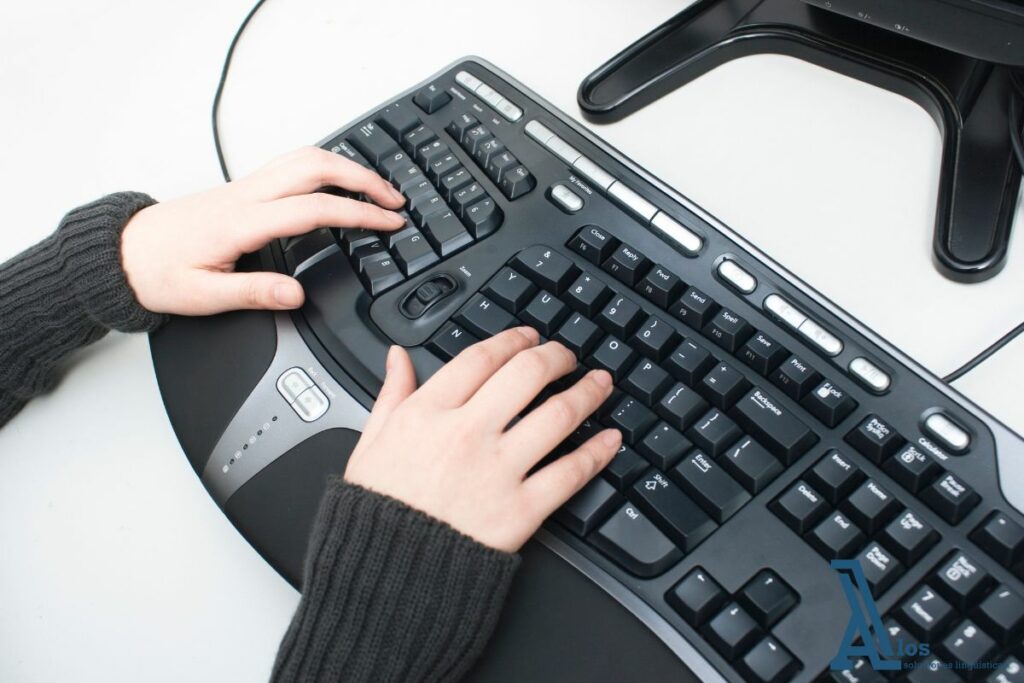
An ergonomic keyboard and mouse help reduce fatigue in long training sessions. For teams spending hours completing exercises, taking notes or working on e-learning platforms, this investment increases comfort and can translate into more being gained from the training.
Another much-appreciated accessory is the laptop riser stand, which improves posture and reduces neck strain in long sessions, something particularly important when training runs for several hours at a stretch.
Gadgets that improve attention and engagement
Digital whiteboards and graphics tablets
In courses where visual interaction is key — problem solving, diagrams or brainstorming — a connected digital whiteboard or graphics tablet lets you annotate, draw and share ideas instantly. This is particularly useful in collaborative or creative training, where visual exchange matters as much as the spoken word.

Monitors with good ergonomics
For teams following long training sessions or consulting reference material and the online session at the same time, an additional monitor with good ergonomics improves productivity and stops eyes tiring quickly.
Proper lighting
Although it is not especially “technological”, an even light source without glare makes a difference in video calls. A dimmable LED panel lets each employee adjust the light to look right and reduce eye strain during long training sessions — something often overlooked, but with a real impact on the online learning experience.
How to fit these devices into your training programme
It is not just a matter of buying gadgets: to add real value, they have to be part of a coherent training strategy. For example:
- Before rolling out new devices, assess your team’s real needs: do they need better cameras to practise languages online? Or is clear sound what most affects their performance?
- Share usage recommendations and good practice with employees before each training session.
- Pair the investment in technology with quality methodology, such as the approach described in our article on how to structure language training for companies and professionals, which also looks at the impact of well-designed online training.
Frequently asked questions
The basics are a computer or tablet with a good camera and microphone plus noise-cancelling headphones. After that, extras such as digital whiteboards or additional monitors improve the experience.
Yes. Improving audio and video quality and employees’ physical comfort reduces distractions and allows more active participation in the training.
It depends on the type of training and each employee’s role. Look at who takes part in online training most and prioritise the investment for those profiles.
The success of an online training programme depends not only on the content, but also on how employees access and take part in it. Choosing the right gadgets — from noise-cancelling headphones to ergonomic input devices — makes for a clearer, more comfortable and more effective experience.
If you are designing or refreshing a training plan in your company and want to combine technology with effective methodology, ALOS can help you define a strategy geared to your needs and objectives. Contact our team to explore personalised training solutions and technical support.